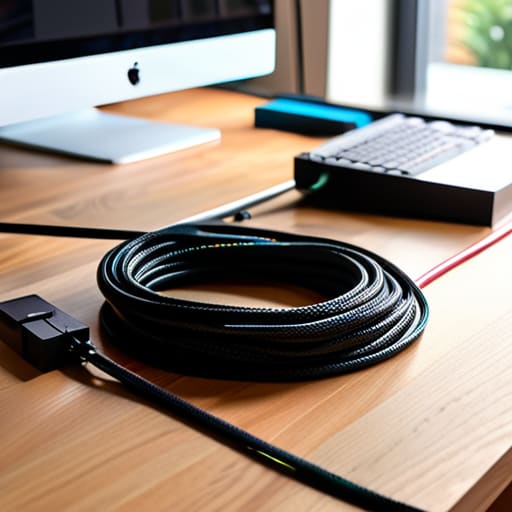
I was sitting on my floor last Tuesday, trying to reach a charger behind my desk, when I ended up in a literal wrestling match with a “rat’s nest” of black cords. I tripped, my coffee wobbled, and I realized that my workspace looked less like a professional setup and more like a disaster zone. Most people think you need to drop a hundred bucks on fancy, proprietary docking stations to fix this, but that’s a lie. You don’t need a massive budget to fix the visual clutter; you just need a solid cable management diy strategy that actually works for your specific layout.
I’m not here to sell you on aesthetic organizers that look great in a staged photo but are impossible to actually use. Instead, I’m going to show you how to use basic, low-cost tools—think zip ties, Velcro strips, and even some clever routing with your multi-tool—to reclaim your space. We’re going to walk through the exact steps I use to keep my own tech tidy without overcomplicating the process. By the end of this, you’ll have a clean, functional setup that stays organized even when you’re moving things around.
Table of Contents
- Step-by-Step Instructions
- Mastering Under Desk Cable Management Solutions Without the Stress
- A Simple Diy Cable Sleeves Tutorial to Hide Your Mess
- Pro-Tips to Keep Your Setup From Turning Into a Bird's Nest
- The Bottom Line on Taming the Tangled Mess
- The Real Reason to Fix Your Setup
- Getting It Done
- Frequently Asked Questions
Guide Overview
Tools & Supplies
- Scissors or wire cutters for trimming ties
- Label maker for identifying cable ends
- Velcro cable ties (1 pack)
- Cable management sleeves or raceways (2-3 units)
- Adhesive cable clips (1 pack)
- Power strip/surge protector (1 unit)
Step-by-Step Instructions
- 1. First, you need to do a complete audit of your setup. Unplug everything—and I mean everything—and lay the cables out on the floor. It’s going to look like a disaster zone for a second, but you can’t organize a mess if you don’t know exactly what you’re working with. Group them by function: power cables, monitor cords, and those annoying little peripheral wires.
- 2. Grab a handful of velcro cable ties from your junk drawer (or order a pack online, they’re cheap). Avoid the plastic zip ties if you can; they’re a nightmare because once you cut them, you’re stuck. Velcro allows you to add or remove cords later without having to start from scratch every time you buy a new gadget.
- 3. Now, let’s tackle the power strips. I usually mount mine to the underside of my desk using heavy-duty command strips or a simple mounting bracket. Getting that bulky plastic brick off the floor and tucked out of sight is the single biggest win you’ll get from this entire process. It keeps the dust bunnies away and makes vacuuming actually doable.
- 4. For the cables that have to travel across the floor or down a desk leg, use some adhesive cable clips. Space them out every few inches to keep the lines straight and taut. If you’re feeling a bit more advanced, you can buy a cheap J-channel or a cable tray to hide the “rat’s nest” behind the desk. The goal is to make the wires look like they were meant to be there, not like they’re escaping.
- 5. Label everything. I know, it sounds tedious, but trust me on this. Use a small piece of masking tape or a label maker to wrap a tag around each end of the cord. When you inevitably need to unplug your printer in six months, you won’t be playing a guessing game with five identical black cords while you’re trying to get work done.
- 6. Finally, do a “stress test.” Plug everything back in, turn on your gear, and make sure nothing is being pinched or pulled too tight. Leave a little bit of slack in the lines so that if you move your monitor or slide your chair, you aren’t accidentally ripping a port out of your laptop. Once it’s all set, take a second to appreciate the calm of a clean workspace.
Mastering Under Desk Cable Management Solutions Without the Stress
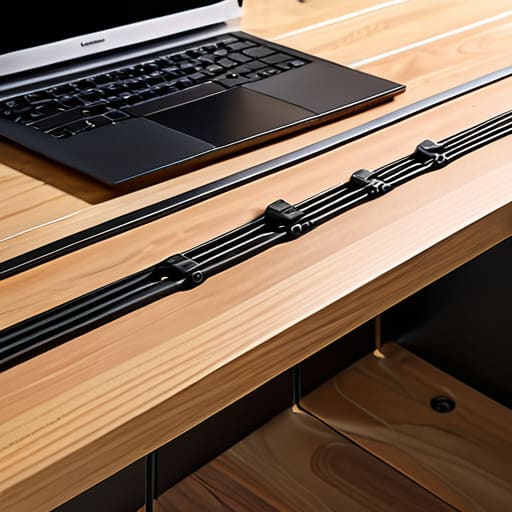
Once you’ve got the basics down, the real battleground is the “black hole” under your desk. It’s easy to let a tangle of power strips and adapters become a permanent fixture, but that’s how you end up with a dust trap that’s impossible to clean. I’ve found that the best under desk cable management solutions aren’t just about hiding things; they’re about accessibility. I always recommend mounting your power strip to the underside of your desk using heavy-duty command strips or a dedicated mounting bracket. This keeps the heavy brick off the floor and makes it way easier to swap out a charger when you need to.
If you’re dealing with a massive bundle of wires running from your PC to your monitor, don’t just let them hang. Grab some hook-and-loop fasteners—not those cheap plastic zip ties that bite into the cord—and group them into manageable chunks. Using a few simple cable management tools and supplies can turn a chaotic web into a single, clean line that follows the leg of your desk. It’s about creating a system that works for you, rather than just fighting a losing battle against the mess every single day.
A Simple Diy Cable Sleeves Tutorial to Hide Your Mess
If you aren’t ready to commit to permanent mounting or expensive plastic trays, a DIY cable sleeve is your best friend. I usually grab some old, thick fabric or even a piece of neoprene from a scrap bin to act as the base. The trick is to use a heavy-duty Velcro strip rather than actual glue; it allows you to open the sleeve up whenever you need to swap out a charger or add a new device. This is one of my favorite workspace decluttering tips because it turns a chaotic bundle of black and white cords into one clean, unified line.
When you’re putting this together, don’t just aim for coverage—aim for flexibility. If you’re working on hiding messy wires behind a TV, make sure your sleeve has enough slack so you aren’t pulling on the ports every time you adjust the screen. I keep a small roll of electrical tape and my multi-tool handy for this, as you might need to trim the fabric or tighten a connection on the fly. It’s a low-cost way to get a professional look without the “professional” price tag.
Pro-Tips to Keep Your Setup From Turning Into a Bird's Nest
- Label everything at both ends. I use a tiny piece of masking tape and a sharpie, but you can get a label maker if you want to feel fancy. There is nothing more frustrating than unplugging the wrong thing in the middle of a workday because you were guessing.
- Invest in a decent power strip with a long cord. Don’t try to make a short cord reach across your entire desk; you’ll just end up creating tension that pulls your gear off the surface or damages the internal wiring.
- Use Velcro ties instead of plastic zip ties whenever possible. Zip ties are permanent and aggressive; if you decide to move your monitor or add a new lamp, you’ll be stuck cutting things apart. Velcro is reusable, forgiving, and much easier on your hands.
- Group your cables by function. Keep your power cables in one bundle and your data/peripheral cables in another. It makes troubleshooting way faster when you aren’t hunting through a single, massive umbilical cord of mixed wires.
- Don’t forget the floor. If you have cables running across a walkway, they aren’t just an eyesore—they’re a trip hazard. Use a heavy-duty cord protector or tuck them behind a piece of furniture to keep your path clear and your ankles safe.
The Bottom Line on Taming the Tangled Mess
Don’t feel like you need a massive budget to fix this; most of the best solutions involve cheap stuff like zip ties, velcro straps, or even just some leftover cardboard from a delivery.
Focus on accessibility—don’t tuck everything so deep under the desk that you can’t reach a plug when you actually need to swap out a charger.
Treat cable management as a maintenance task rather than a one-time project; as you add new tech, take two minutes to integrate the new wires so the chaos doesn’t creep back in.
The Real Reason to Fix Your Setup
“A tangled mess of wires isn’t just an eyesore; it’s mental clutter that tells you you’re not in control of your space. When you take twenty minutes to route those cables properly, you aren’t just cleaning up a desk—you’re proving to yourself that you can actually manage the small stuff.”
Owen Silas Vance
Getting It Done
At the end of the day, taming your tech doesn’t require a massive budget or a professional electrician. We’ve covered everything from securing the chaos under your desk to building your own custom sleeves to hide those unsightly power strips. Whether you used zip ties, mounting brackets, or a bit of DIY fabric work, the goal was the same: to turn a visual headache into a functional, organized workspace. Remember, the most important part isn’t having a perfectly polished setup that looks like a tech showroom; it’s about creating a space where you can actually focus without your eyes constantly snagging on a mess of tangled cords.
I know that “adulting” tasks like this can feel like just another chore on an endless to-do list, but there is a real, tangible sense of relief that comes from taking control of your environment. When you fix something with your own hands—even something as small as a bundle of wires—you’re building a kind of practical competence that stays with you. Don’t let the clutter win. Grab your multi-tool, pick one corner of your desk to start with, and just get it done. You’ll be surprised at how much better you feel once the chaos is finally under control.
Frequently Asked Questions
How do I handle cables for devices I need to move frequently, like a laptop charger or a desk lamp, without making them look messy again?
For things you move constantly, don’t go overboard with permanent clips or heavy sleeves. Instead, use weighted cable holders or a simple weighted base to keep the cord from sliding off your desk when you unplug. I also swear by Velcro cable ties rather than plastic zip ties; they’re much easier to undo when you need to rearrange things. Keep it modular. If it’s not anchored, make sure it’s neatly coiled and ready to grab.
Are there any specific types of zip ties or velcro straps I should avoid so I don't accidentally damage the wire insulation?
Avoid those cheap, stiff plastic zip ties if you can. They’re a pain to tighten and, if you pull too hard, they can bite right into the insulation. If you use them, don’t crank them down—leave a little breathing room. Honestly, I almost always go with Velcro straps instead. They’re much more forgiving, easy to adjust when you inevitably add a new charger, and they won’t crush your cables.
What’s the best way to manage cables if I’m renting and can’t drill holes or mount heavy trays under my desk?
Look, I get it. When you’re renting, those “permanent” solutions feel like a trap for your security deposit. If you can’t drill, stop stressing. Grab some heavy-duty command hooks or adhesive cable clips—they hold surprisingly well without the masonry damage. I also swear by a weighted cable holder on top of the desk to keep chargers from sliding off, or even just a simple, non-permanent mesh hammock tucked under the desk edge. Keep it modular.