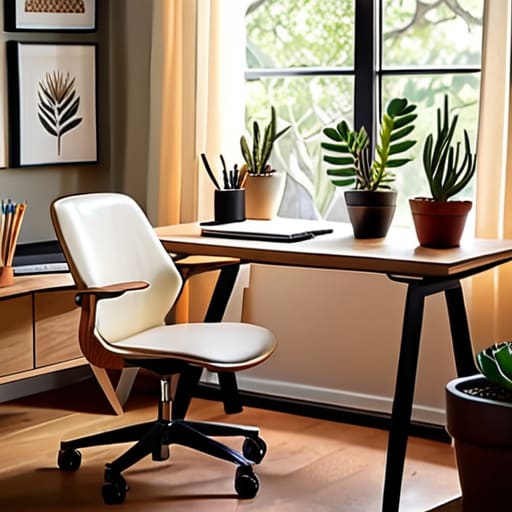
I used to spend way too much time scrolling through Pinterest, convinced that a productive workday required a $1,200 ergonomic chair and a mahogany desk that looked like it belonged in a CEO’s corner suite. It’s a total lie. Most of those curated “aesthetic” workspaces are just expensive distractions that don’t actually help you get your work done. When I was first starting out as a junior coordinator, I was trying to find home office setup ideas that actually fit a real budget—not a lifestyle influencer’s budget. I realized quickly that a functional space isn’t about how much you spend; it’s about eliminating the friction between you and your tasks.
I’m not here to sell you on a minimalist dream that costs three months of rent. Instead, I’m going to show you how to build a workspace that actually serves you, using practical tools and smart, low-cost hacks. We’re going to focus on the essentials: lighting that won’t give you a headache, organization that keeps your multi-tool within reach, and layouts that maximize whatever small corner you can call your own. Let’s stop chasing the hype and start building a setup that actually works.
Table of Contents
Small Space Home Office Solutions That Actually Work
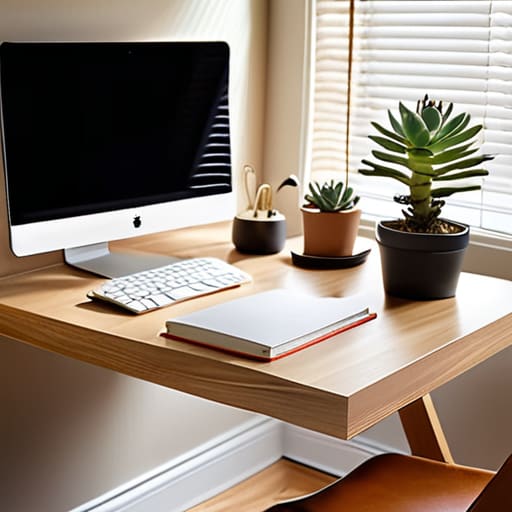
If you’re working out of a corner of your bedroom or a tiny studio apartment, you know the struggle. You don’t need a sprawling executive suite to get things done; you just need to stop letting your workspace bleed into your living space. I’ve learned that the key to small space home office solutions isn’t about buying more stuff, but about choosing pieces that pull double duty. Think about a slim, wall-mounted desk or a floating shelf that keeps your floor clear. When you minimize the visual clutter, your brain stops treating your desk like a pile of laundry and starts treating it like a place for actual work.
Don’t make the mistake of thinking a kitchen chair will suffice just because you’re short on room. Investing in one solid piece of equipment—specifically focusing on ergonomic desk chair benefits—is the smartest move you can make for your long-term health. I’d rather have a tiny, efficient setup with a chair that supports my back than a massive desk that leaves me with a literal ache by 3 PM. Keep it lean, keep it functional, and don’t overbuy.
The Dual Monitor Workstation Setup for Real Results
Look, I get the temptation to stick to a single laptop screen because it feels cleaner, but once you start juggling spreadsheets on one side and a video call on the other, you’ll realize how much mental energy you’re wasting on constant tab-switching. A dual monitor workstation setup isn’t just about having more screen real estate; it’s about reducing that constant cognitive friction. I started using a second monitor about six months ago, and honestly, the boost in my workflow was immediate. It turns your desk from a single-tasking station into a command center.
The trick is to avoid the “clutter trap” that usually comes with extra gear. If you’re aiming for a minimalist home office design, don’t just throw two monitors on the desk and call it a day. Invest in a monitor arm. It clears up the physical footprint on your desk, giving you room for your notebook or a coffee, and it lets you adjust the height so you aren’t hunching over. Just make sure you pair it with a decent chair—because all the extra screen space in the world won’t matter if your back is screaming at you by noon.
Five Essentials to Stop the Workspace Slump
- Get your lighting right before you buy anything else. If you’re working under a single, harsh overhead light, you’re going to have a headache by 2 PM. Grab a cheap desk lamp with a warm bulb or position your setup near a window—natural light is free and it actually keeps you sane.
- Invest in your back, not your aesthetic. I see so many people buying these beautiful, mid-century wooden chairs that look great on Instagram but leave you feeling like a pretzel after three hours. Find a decent ergonomic chair; it’s the one piece of furniture where you shouldn’t try to “budget” too hard.
- Manage your cable chaos immediately. Nothing makes a workspace feel cluttered and stressful faster than a “nest” of black wires tangling under your feet. Use some velcro ties or even just simple zip ties to group them together. It takes ten minutes and makes the whole room feel instantly more organized.
- Keep your “work” and “life” zones physically separate. If you’re working from your dining table, try to have a specific ritual—like clearing the table or using a specific desk mat—that signals your brain the workday has started. If your laptop stays open on your dinner plate, you’ll never actually feel “off the clock.”
- Build a “reach zone” for the stuff you actually use. Don’t clutter your entire desk with every pen and notebook you own. Keep your essentials—water, notebook, headphones—within arm’s reach, and tuck everything else into a drawer or a bin. A clear desk surface equals a clear head.
The Bottom Line: Build for Utility, Not for the Gram
Stop chasing the “perfect” aesthetic you see on social media; focus on ergonomics and organization that actually support your workflow.
Invest in your physical health by prioritizing a decent chair and proper screen height before you worry about fancy desk accessories.
Scale your setup as you grow—start with what fits your current space and budget, then upgrade your tech or gear piece by piece.
The Reality of the Setup
“Forget the Pinterest-perfect aesthetic for a second; a real home office isn’t about how it looks in a photo, it’s about whether you can actually sit there for eight hours without feeling like your space is working against you.”
Owen Silas Vance
Stop Planning, Start Building
At the end of the day, a functional home office isn’t about having the most expensive standing desk or a perfectly curated Pinterest aesthetic. It’s about the fundamentals: maximizing the square footage you actually have, choosing tools that support your workflow—like that dual monitor setup we talked about—and making sure your setup doesn’t actively fight against your productivity. Whether you’re squeezing a desk into a corner of your bedroom or building a dedicated command center, the goal is the same. You want a space that actually serves you instead of a space that just looks good in a photo. Focus on the ergonomics, keep the clutter under control, and prioritize the things that make your workday feel less like a grind.
I know it can feel overwhelming when you’re looking at a pile of cables or an empty corner and trying to figure out where to even begin. But remember, competence is built one small decision at a time. You don’t need to overhaul your entire living situation overnight; you just need to make one smart adjustment today. Grab that multi-tool, clear off the junk, and set up a space that makes you feel capable. You’ve got this, and once you have a setup that works, everything else starts to fall into place.
Frequently Asked Questions
How do I stop my desk from becoming a cluttered mess of cables and random junk within a week?
The secret isn’t buying a fancy organizer; it’s setting boundaries. First, grab some velcro ties—not those plastic zip ties, they’re a pain to redo—and bundle your cables immediately. Next, implement a “one-in, one-out” rule for your desk surface. If you grab a new notebook, a coffee mug goes back to the kitchen. At the end of every Friday, spend five minutes clearing the “junk” so you don’t start Monday in chaos.
I'm on a tight budget—what are the absolute essentials I should spend money on versus what I can DIY or find cheap?
Look, don’t blow your whole paycheck on a “designer” desk. Spend your money where it impacts your body: a decent, ergonomic chair is non-negotiable if you want to avoid back pain by age 30. Everything else? Get creative. Use a sturdy old dining table for a desk, or DIY a monitor riser out of some scrap wood. I’d rather have a cheap desk and a great chair than a fancy setup that leaves me crippled.
How do I make a workspace feel like a real office without making my entire apartment feel like a corporate cubicle?
The trick is to use “visual boundaries” rather than physical ones. You don’t need a cubicle wall; you just need a dedicated zone. Grab a small rug to ground the desk area or use a single plant to mark the transition from “living space” to “work space.” Keep your tech organized with a cable management box so you aren’t staring at a nest of wires during dinner. It defines the zone without killing the vibe.